This project packages community-developed optimizations and fixes into simple, drop-in files that automatically load with the game. Enjoy a cleaner experience and more reliable gameplay without needing to enter any console commands or manage lengthy configuration files!
Philosophy
- No-Frills: Neither pack contains any third-party assets (custom fonts, textures, etc.). All changes build upon the stock game files, with modifications kept to a minimum to preserve the original experience.
- Compatibility: Both packs should work seamlessly with any customizations you have or may add later. Their naming conventions help ensure the config pack takes priority, while the UI enhancements pack’s modular design allows similar modifications, such as custom HUDs, to override conflicts while retaining the pack’s remaining functionality.
- Transparency: Every file in these packs is readable in plain text. In modified files, any original code that’s no longer used is commented out instead of removed, and additions are commented as ‘new’ so you can easily tell what has been changed. For configs, each setting is accompanied by an explanatory comment and its default value.
Features
⚡ Improved Performance & Logic
Refine internal settings for better stability and remove common technical annoyances:
- Optimized Hardware Profiles: A custom
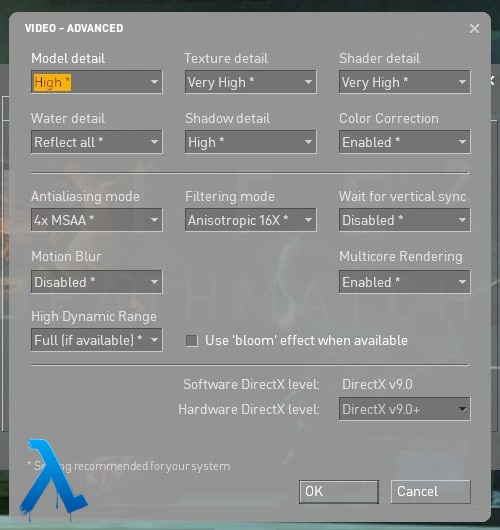
dxsupport_override.cfgfixes a hardcoding error that prevented “Very High” textures (mat_picmip -1) from being recommended, and also makes hidden impact effect cvars (fx_drawimpact...) available for users who wish to customize them. - Explosion Audio Fix: Integrated DSP fix that removes the ringing distortion effect from explosions. This prevents the common engine bug where the high-pitched “tinnitus” sound gets stuck.
- More Responsive Online Play: Modernizes network settings to send and receive data more efficiently. This ensures your shots and movement register accurately while reducing connection stuttering and “rubber-banding.”
- Frame Rate Stability: Enjoy smoother, more consistent FPS, especially during intense firefights and on poorly optimized maps.
🎨 Modular UI Enhancements (Optional)
A companion VPK for non-intrusive improvements and visual fixes:
- Corrected Crosshair: Replaces the difficult-to-see and partially misaligned stock white crosshair with a properly centered and scaled one that matches the game’s gold UI and has a dark outline added for maximum visibility.
- Red Screen & Directional Damage Fix: Eliminates intrusive red flashes and updates the TakeDamage HUD indicators to show both low and high damage events. Redundant frontal animations are removed. When hit from behind, both indicators light up, providing simple and consistent tracking visuals.
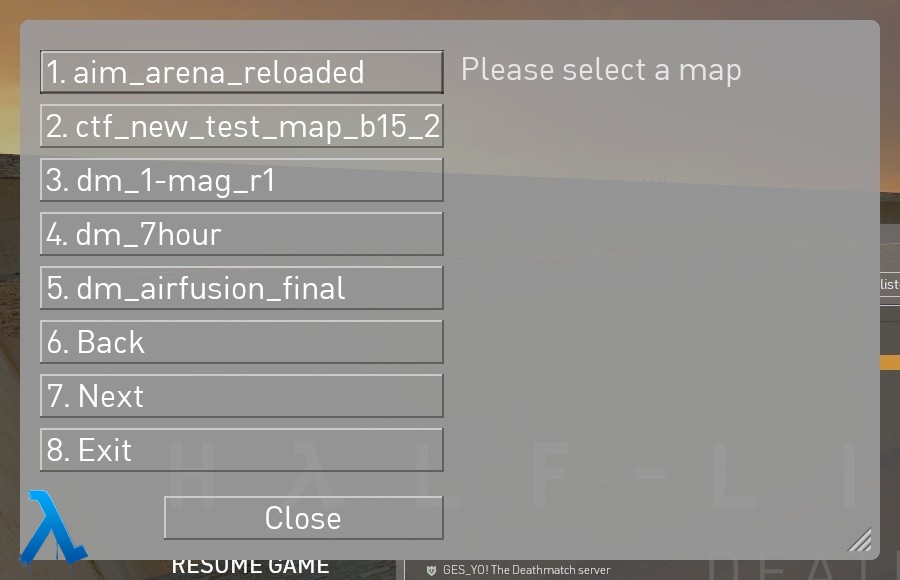
- Plugin Menu Fix: Corrects a scaling oversight that leaves the stock menu in a broken, unreadable state.
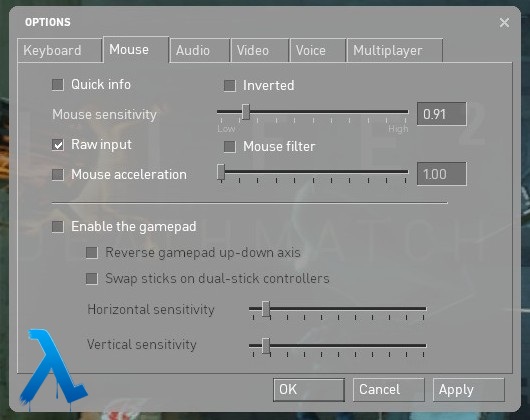
- Mouse Tab Improvements: Re-enables the hidden Quick Info toggle (Health/Ammo around the crosshair) and fixes some UI alignment issues within the tab.
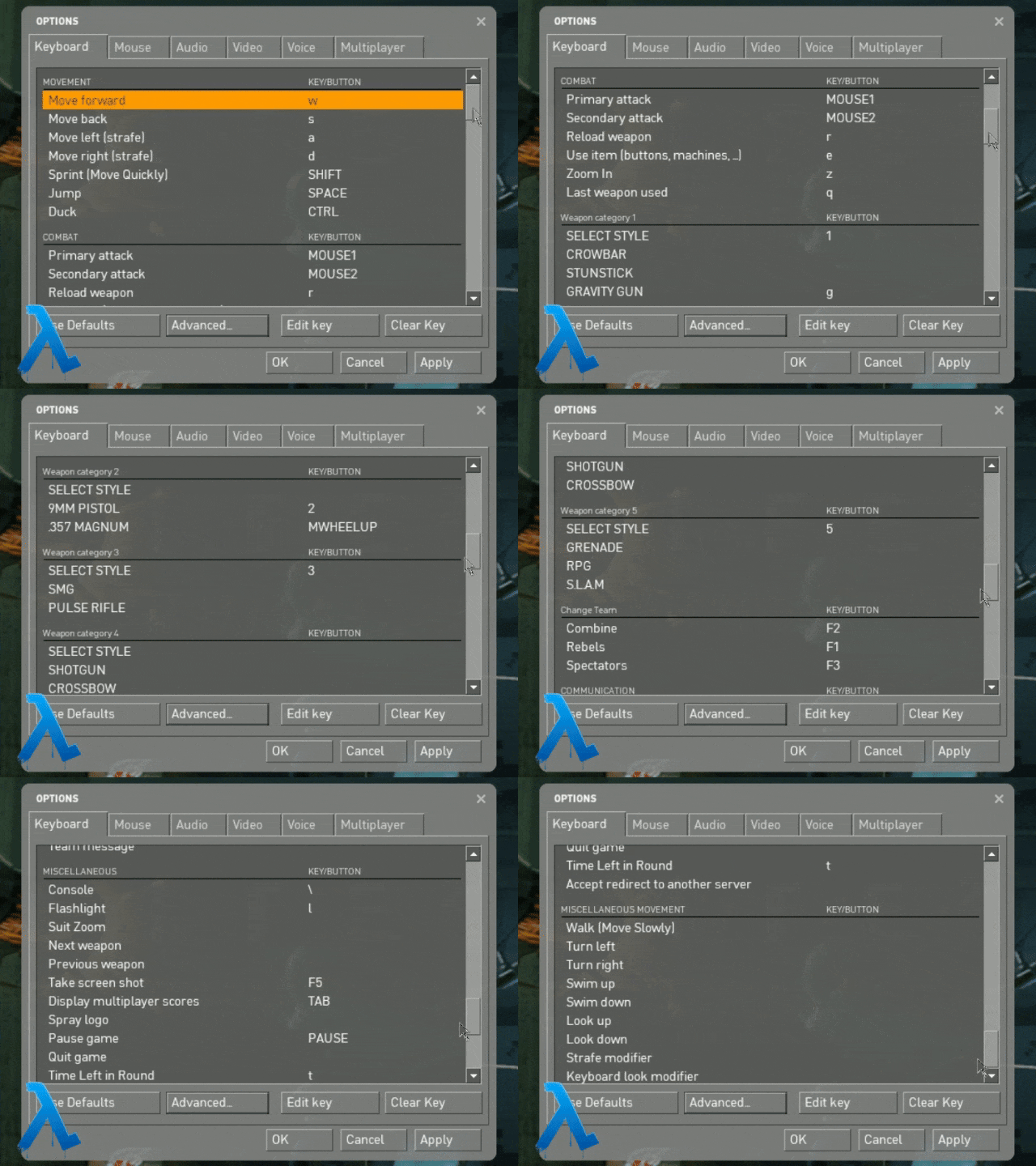
- Expanded Keyboard Bindings: Adds missing binding options for common commands using native translation strings for full localization support.
“Can using this get me banned?”
Simply put: No, though as with nearly everything in life, there’s a caveat to that.
These are standard overrides that use the game’s built-in engine commands. They do not modify memory or executables and are 100% VAC safe. This project is designed to respect server authority and is fully compatible with all sv_pure settings and whitelist configurations. If a server host configures them to disallow any of the files modified via these packs, the game will use its stock files instead.
However, some server-side anti-cheat plugins, such as LILAC, may be sensitive to specific setting changes made by these packs. For instance, since version 26.1.17, a previously introduced change to the host_limitlocal setting was removed because it triggered a ban from servers running LILAC 1.7.9 and later.
Installation
- Download the VPKs from the Latest Release:
0_effort_hl2dm_config.vpk: Covers performance, networking, hardware profiles, and audio fixes.zo_hl2dm_ui_enhancements.vpk: Optional visual fixes, including menu updates, crosshair alignment, and the red screen fix.
- Place them in your
customdirectory:
...\Steam\steamapps\common\Half-Life 2 Deathmatch\hl2mp\custom
If you want to pack the VPKs together yourself, I recommend using the Crowbar tool.
Screenshots
Plugin Menu Fix
Keyboard Bindings
Mouse & Quick Info
Video Recommendations
Credits & Acknowledgments
- mastercoms: For picking up where Chris Down’s left off by providing their comfig project. It has gone on to influence most of the setting choices used here.
- Pred: For the original Plugin Menu fix and insights for multiple other HUD fixes and ideas that they’ve provided in their HL2 HUD Mod.
- Diamphid: For the original Red Screen fix, which has been re-applied to the modern files and reduced even further than their Minimal version.
- Jora: For the DSP fix which has been integrated as is to the config pack. It’s literally painful to go back after getting used to this.